Filter Media Lists, Save Templates, and Visualize Workflows
New table filters, reusable workflow templates, and graph view help teams save credits, repeat proven research flows, and understand how data moves.

Hey there,
Since Gmail integration went live on Monday, we've been heads down building the features you've asked for: filtering, templates, a graph view.
Here's what's new:
1. Table Filtering (aka: spend less on credits)
This one's about saving you money.
The problem: Running AI columns on a 500-row list burns credits on journalists you don't care about. But what if you only need to pitch the top 25 journalists who actually cover your beat?
The solution: Filter first, then run.
Now you can filter your table by any column value — relevancy score, UMV from SimilarWeb, DR from Ahrefs, keywords in headline, publication, whatever — and new runs will apply only to the filtered rows.
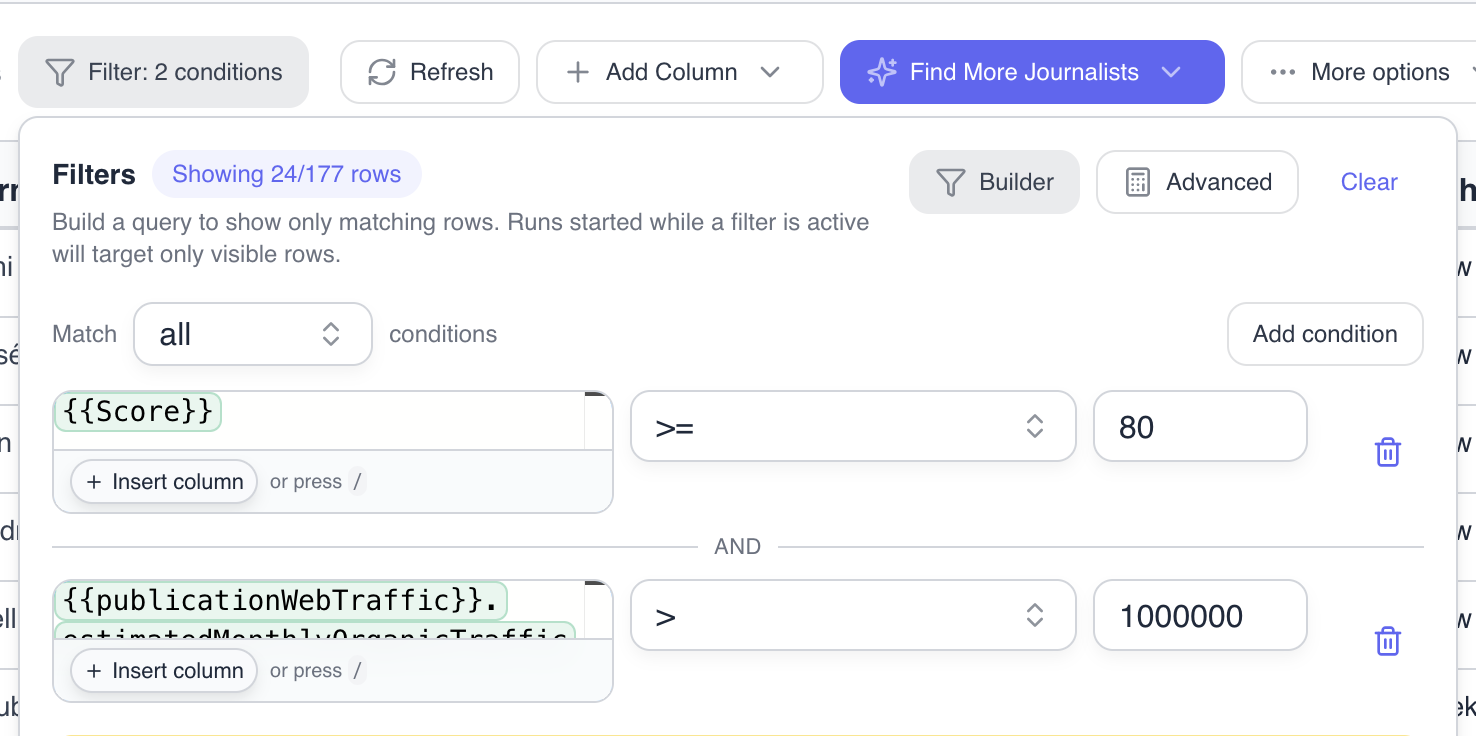
(filtering for high priority journalists)
Example:
- Import 500 journalists covering "fintech"
- Filter to only those at Tier 1 publications + relevancy score more than 80
- Create another "Medialyst agent" column to do further research on the 25 that match using a more powerful model like Claude Opus 4.6
- Save 95% of your credits
2. Build and Reuse Templates
Configure once, use forever.
Now you can save any workflow as a template and reuse it across campaigns. Set up your column configuration once — journalist research, personalized openers, research with custom prompts, email drafts — and apply it to new lists in seconds.
How it works:
- Build your workflow once
- Click "Save as Template" from the table menu
- Apply it to any new list with one click
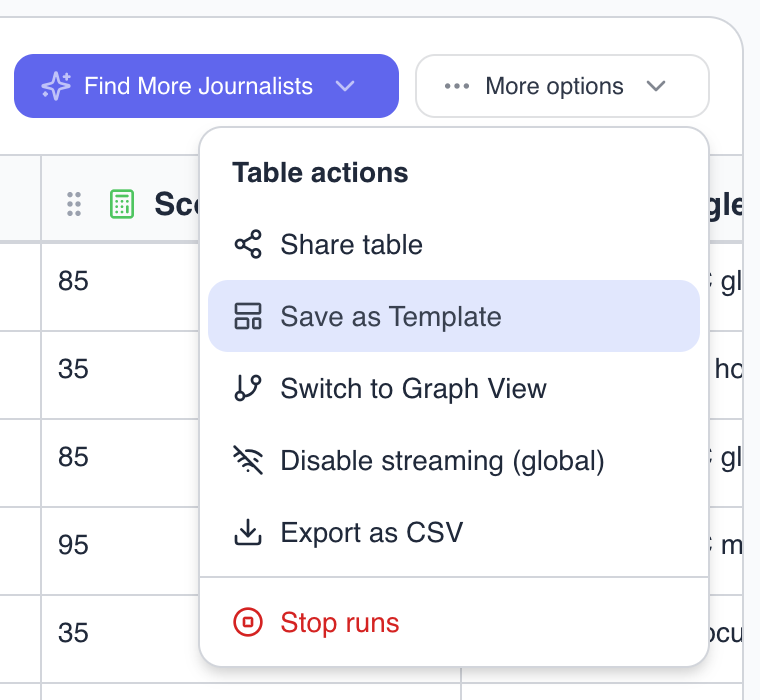
(save any table as a template)
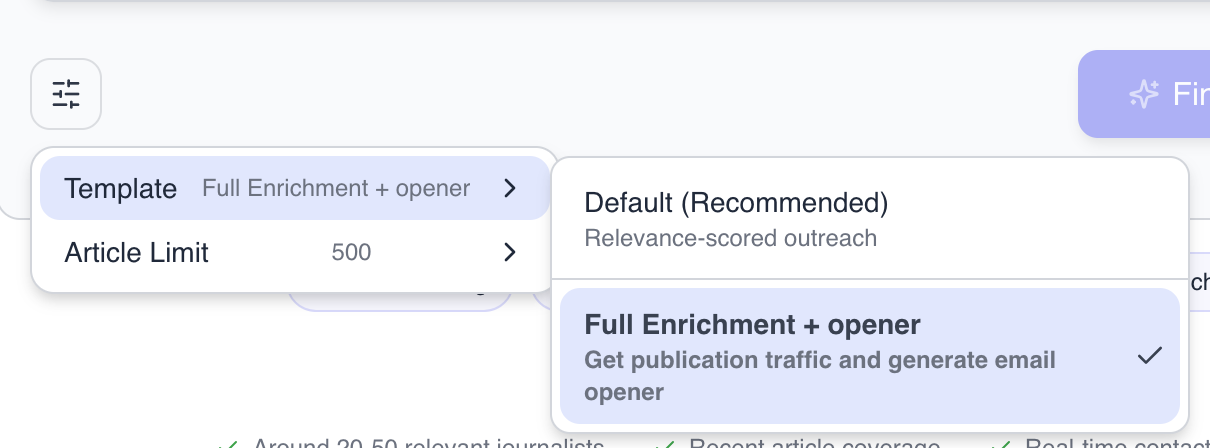
(applying a template to new lists)
3. Graph View
See your workflow come alive.
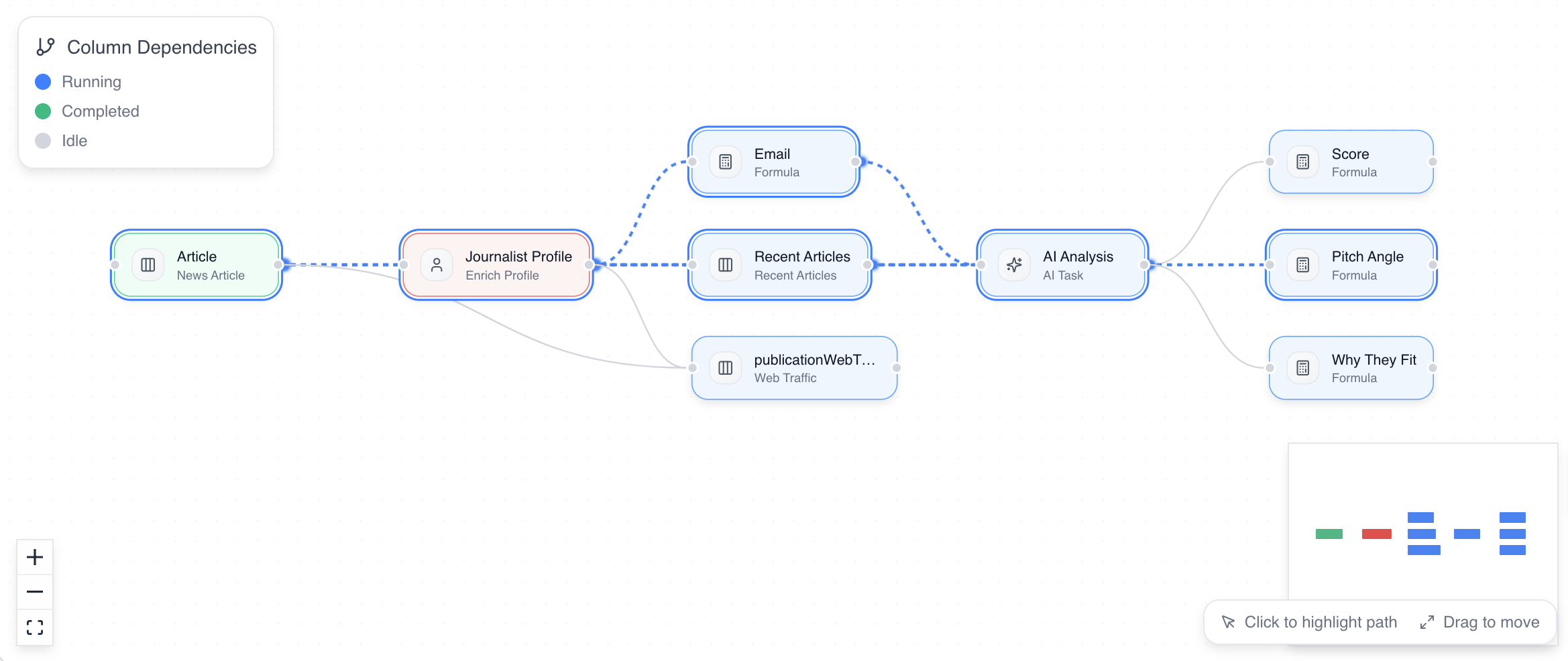
Ever wonder what's actually happening inside your table? Or trying to explain to a coworker what on earth this AI PR tool is doing? Now you can visualize it.
Toggle to Graph View and watch your columns transform into an interactive flowchart. Drag nodes around, zoom in and out, and see animated particles flowing along the connections — showing exactly how data moves from one column to the next.
Find it in the More Options menu → "Graph View"
Coming Soon: Outlook Integration
Gmail users got their integration. Outlook users — you're next.
We're finishing up Outlook Email integration now. Same one-click setup, same personalized drafts, different inbox.
Feature is ready just waiting on Microsoft's security review right now. Stay tuned.
Closing
That's 4 major updates in two weeks. And we're not slowing down.
Here's what's on our roadmap next:
- Industry-leading data quality - the most up-to-date media database on the market - kept fresh using AI agents (mostly, and humans of course)
- AI agent mode - perfect your story and build your media list in one conversation
Once these two features are in we are removing the 60% off for life deal. ETA early March.
— Elvis Sun, Founder at Medialyst
P.S. Need help getting started? Reply and or book a 1:1 with me.