pr
How to Install Newsjack and Turn Claude Into a PR Associate That Never Sleeps
Step-by-step walkthrough of installing Newsjack's 18 open-source PR skills in Claude, getting verified journalist emails, and setting up a 24/7 news monitor with Claude Code.


By the end of this walkthrough you'll have Newsjack — 18 open-source PR skills — installed in Claude, a journalist list with verified email addresses, and an agent that checks the news while you sleep and hands you a pitch-ready brief every morning at 8 a.m. It's the written version of my 27-minute install video, chapter by chapter, so you can follow along here or jump to the timestamp where you're stuck.
What is Newsjack and what's in it?
Video chapter: 00:00
Newsjack is a set of 18 open-source AI skills that turn any agent into a full PR team. I open-sourced it last week, and the most common question since has been: okay, how do I actually set this up? The project lives at newsjack.sh — the skills, the source code, and every update are public there. This guide goes from install to your first pitch-ready output.
How do you install Newsjack?
Video chapters: 00:25 and 01:10
There are two ways.
Option 1 — the copy-paste prompt. Scroll down on newsjack.sh to the install instructions, copy the install prompt, and paste it into any AI chat. Send it, and the agent walks you through the setup itself.
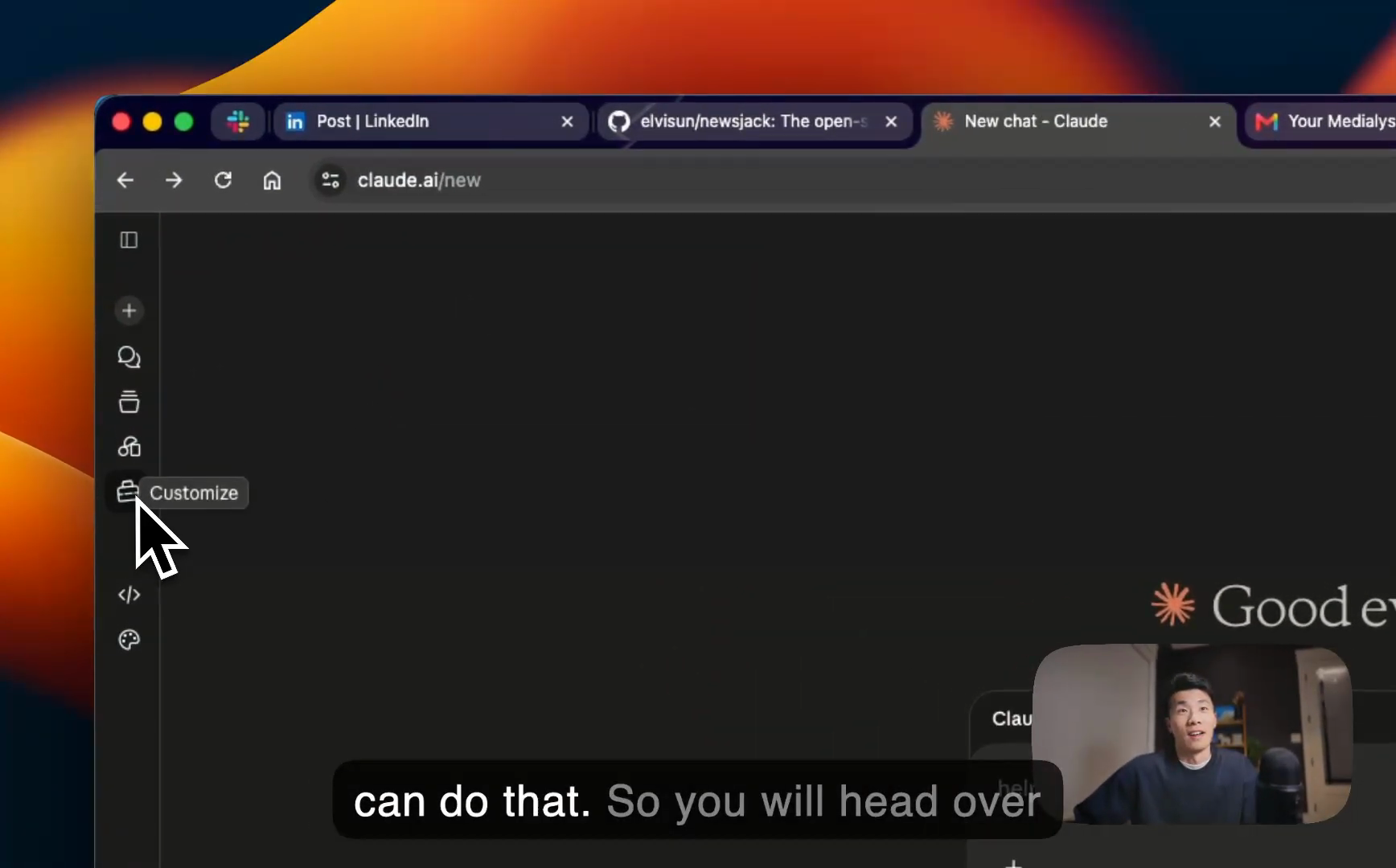
Option 2 — Claude's Customize tab.
- In Claude, open Customize in the left-hand sidebar. This is where any Anthropic plugin gets installed.
- Click the plus sign, go to Create plugin, then Add a marketplace.
- Choose Add from a repository — it asks for a GitHub repository or git URL.
- Copy the project URL from newsjack.sh, paste it in, and click Sync. Claude finds the project.
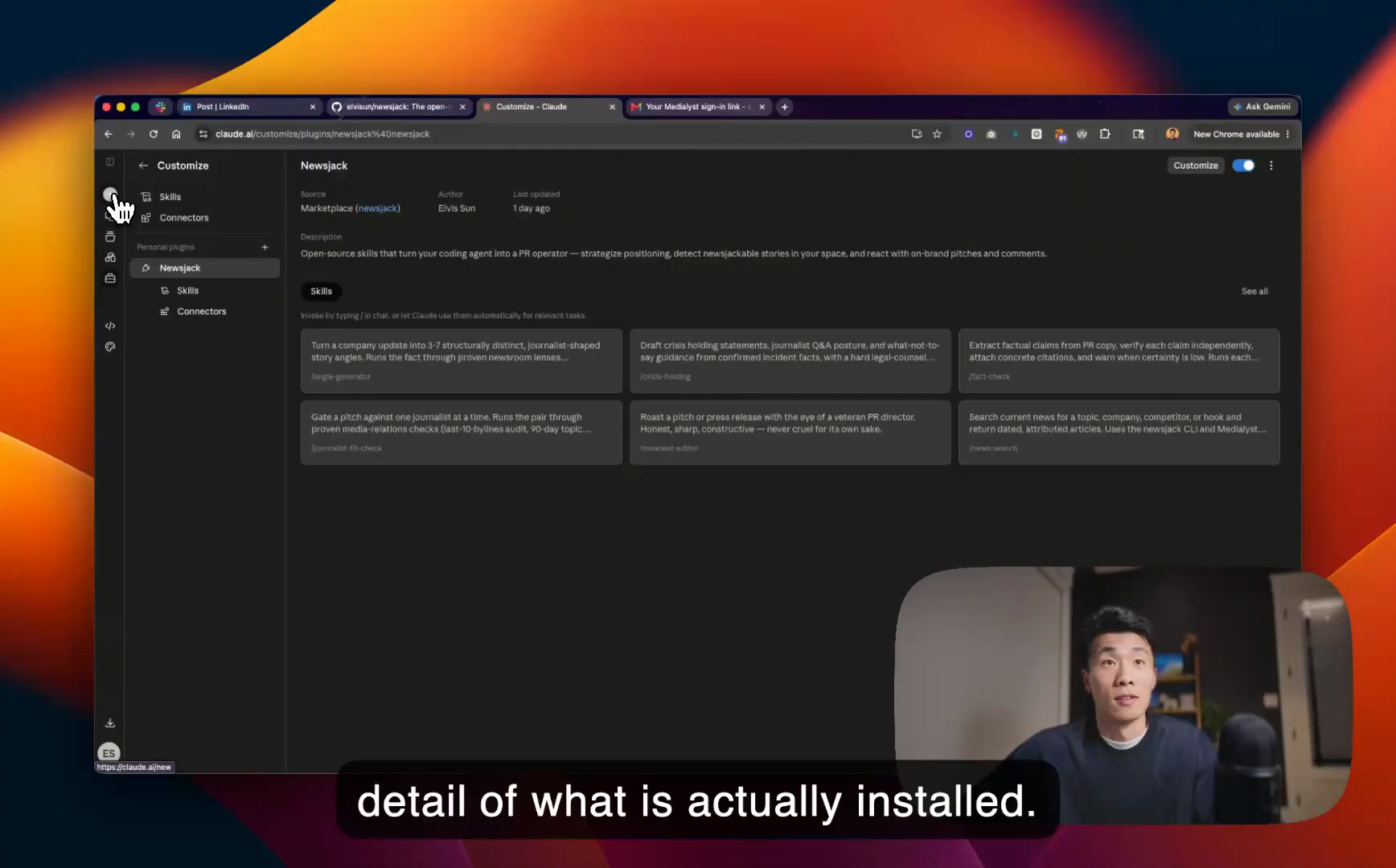
- Click the plus sign on the found project. You'll see that Newsjack is installed and ready to use, with a detail view of exactly what came in.
To verify the install, open a new chat, click the plus sign, and go to plugins — you'll see the skills Newsjack brought in. Or simpler: type a forward slash in the chat box. The slash menu lists every skill available to you, including everything you just installed.
How do you use the Newsjack skills in Claude chat?
Video chapters: 03:00, 05:13, 06:44
Three skills make a good starting sequence.
/pr-strategist builds a PR strategy from a website or a description. Give it a client URL — zapier.com in the video — and it researches the site and comes back with a strategy. It doesn't need a website, though: I ran it on myself with a single paragraph ("I'm an AI engineer. How can I do PR for myself?") and it came back naming my advantages and suggesting positionings. One thing worth knowing: while a skill loads, you can click on it and read exactly what it's asking the model to do. Every skill is a file in the open-source repo, and installing the plugin gives you an exact copy of what's online. Nothing here is a black box.
/angle-generator takes a news story and brainstorms ways into it. For the demo I used a hypothetical example I'd written down — Anthropic shutting down Fable 5, a model I'd been running side by side with Opus, meaning I could talk about real comparison data. The skill searched the web and came back with several angles, including one I liked: builders who lost a production model overnight, and what you actually lose when that happens.
/headline-generator is where I go next, and the order matters: I like generating headlines first and working backwards toward the story I want to tell. Pick an angle, run the skill, and it returns several headline options in a solid format. Give it more than a one-line prompt and the output gets meaningfully better. Along the way it also suggested the meanest-editor skill for editing a pitch — useful once you actually have one.
Why does AI usually fail at finding journalists?
Video chapter: 08:18
Call /find-journalists and you arrive at the step where Claude or ChatGPT would normally hit a wall. Language models don't have verified contact information for journalists, and they can't look up the articles someone has written or understand their beat. So they do what models do when they're missing data: they hallucinate contact details, or confidently hand you a journalist who isn't current.
The fix is to connect the agent to a data source that actually has this information. Nobody else wanted to build one — so I did.
How do you connect the journalist data source?
Video chapter: 09:13
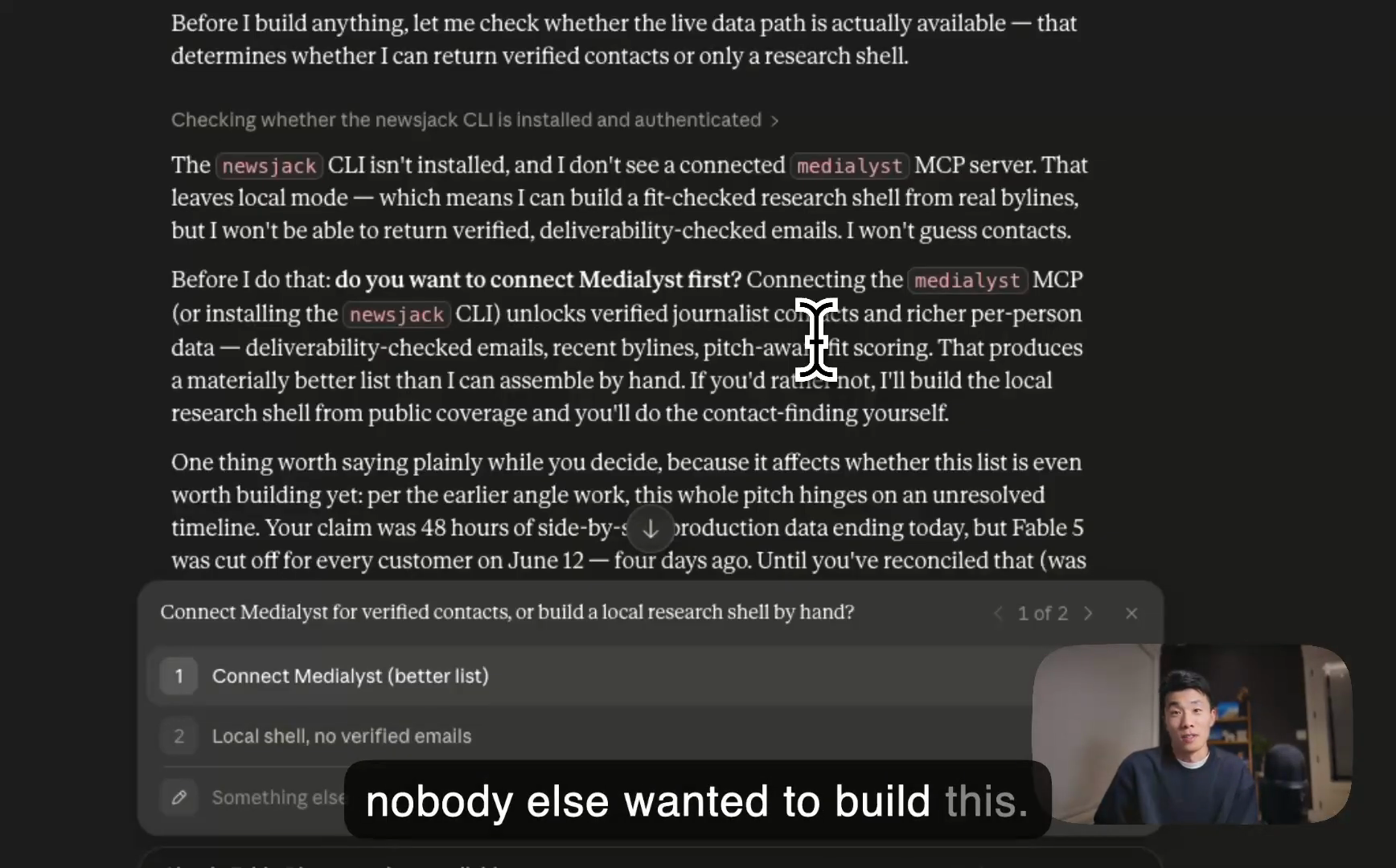
The connector is bundled inside the Newsjack plugin. Go back to the Customize tab, and under Newsjack you'll see a connector. Click Connect, and it sends you to a page that links your Medialyst project — full disclosure, Medialyst is the project I'm building, and it's what powers these agents to do real PR tasks: enrich a journalist, get contact information, and search the news.
One gotcha from the video: after making the connection, refresh the page and start a new chat. Then call /find-journalists again — you can paste in the previous chat history and pick up exactly where you left off.
What do the verified journalist results look like?
Video chapter: 11:18
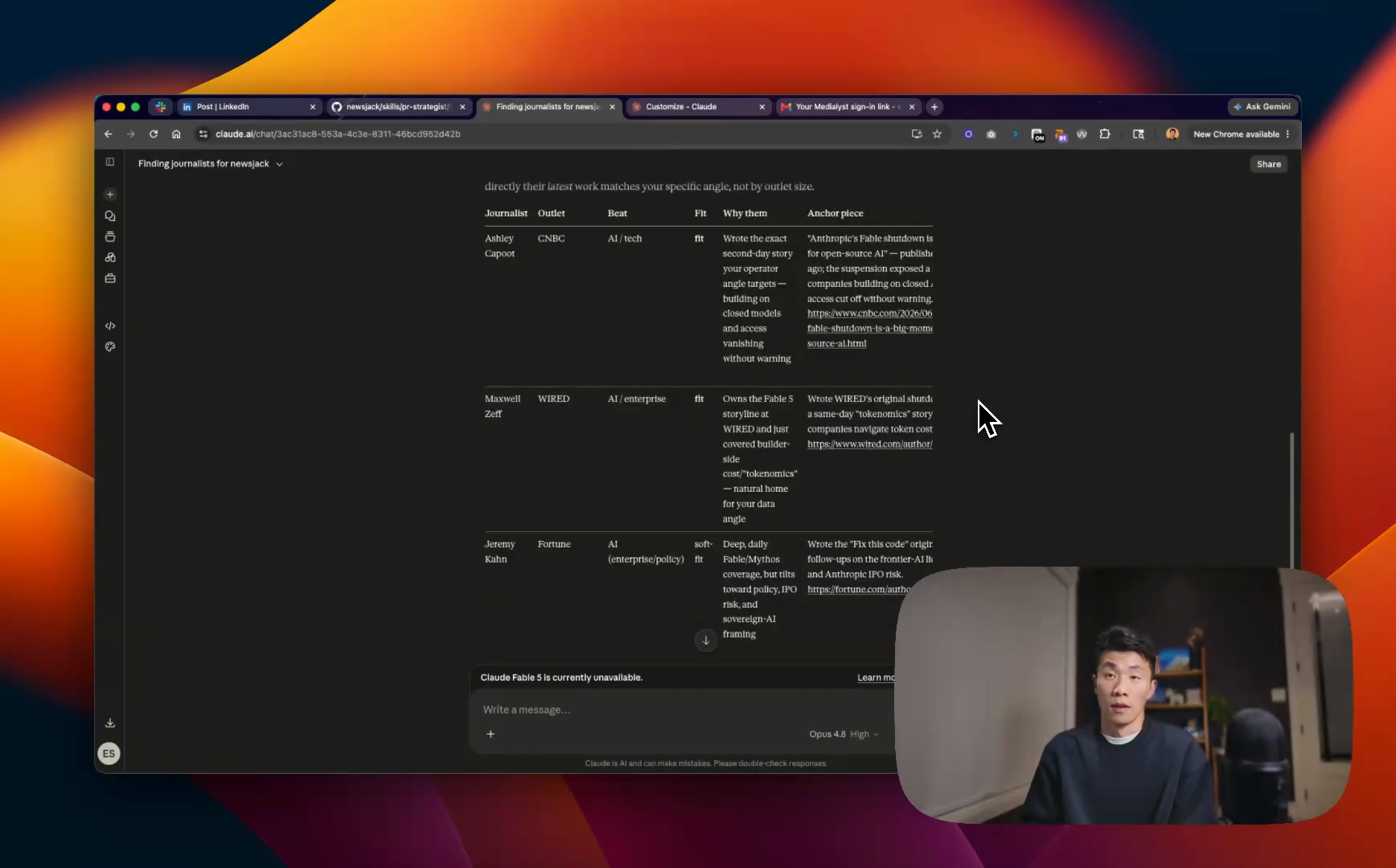
A table. Mine started with five journalists worth reaching out to, and scrolling right shows the column that matters: their actual, verified email addresses.
From there you iterate. I asked for ten more journalists who cover model releases — GPT, Opus, that class of story — and it kept going and brought back more names. You build the list conversationally. Or hand your draft pitch to the meanest editor and let it roast the pitch into shape before anything gets sent.
Why does 24/7 news monitoring need Claude Code?
Video chapter: 12:50
To me the biggest benefit of an agent like this is that it can be on the lookout while you're sleeping. But that requires a machine it can run on, and the typical website chat doesn't support running for very long. I built a comparison table of which skill runs where, and it turned out far more complicated than I expected. The short version — your runtime options are:
- Claude Code, included in the $20 plan most people already pay for
- Codex, OpenAI's equivalent
- Hermes Agent, open source and free to install
- OpenCloud, also open source, runs on your machine
There are plenty of tutorials for each. Since most people already pay for Claude Code, that's the one this walkthrough uses.
How do you install Claude Code and set up the daily monitor?
Video chapters: 14:50 and 16:24
Download the desktop app for your machine. At the top left you'll see modes: chat, which is essentially what we've been doing in a different window, and code — the flagship mode, and where this setup happens. Because code mode runs on your local machine, it's considerably more powerful than the chat window. Installing Newsjack here is one sentence: "install this for me." It does the installation itself.
Then ask for the monitor: "set up daily monitoring for me" — plus context. Tell it who you are, what kinds of stories you're looking for, and when to run (mine runs at 8:00 a.m. every morning). You don't have to front-load everything; it asks when it needs something.
Two settings tips before you kick it off:
- Use Opus, the smartest model. For knowledge-intensive work like PR, the quality gap between Opus and a lesser model is large.
- Set thinking effort to at least high — higher if your usage limits have room.
The agent does the setup, then runs a live test: pulling the day's news and analyzing what's actually relevant. Mine ran for almost nine minutes — and that's the point. Claude Code is built to run for a very long time; I've had it running for hours, even days. That's also what unlocks the more ambitious workflows, like brainstorming ten ideas, fanning them out to different agents to evaluate from different angles, and coming back with the best one. Chat can't do that.
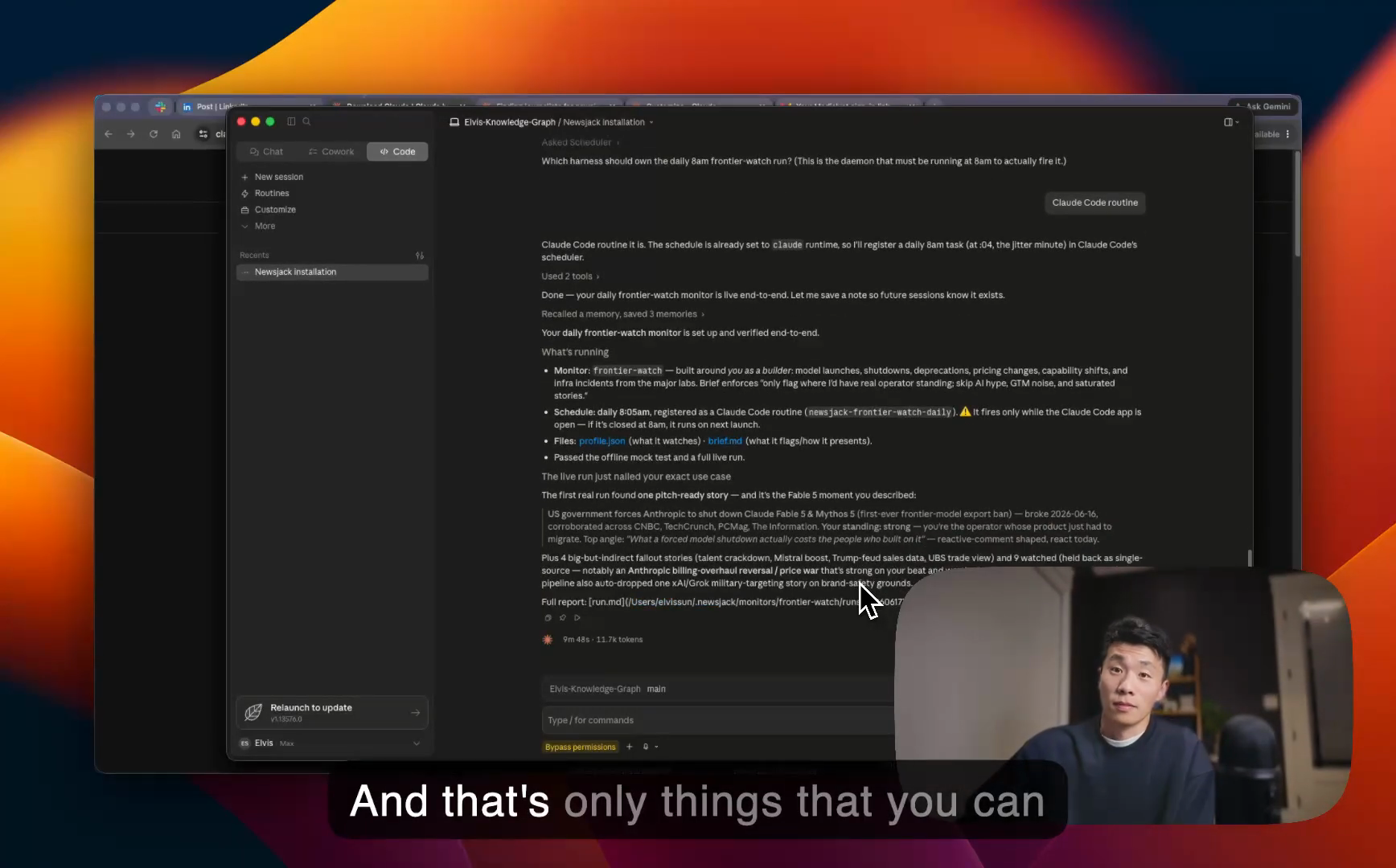
When the test run finished, it asked where I wanted the monitor to live — a Claude Code routine is what I'd suggest.
What does the first auto-generated brief look like?
Video chapter: 21:54
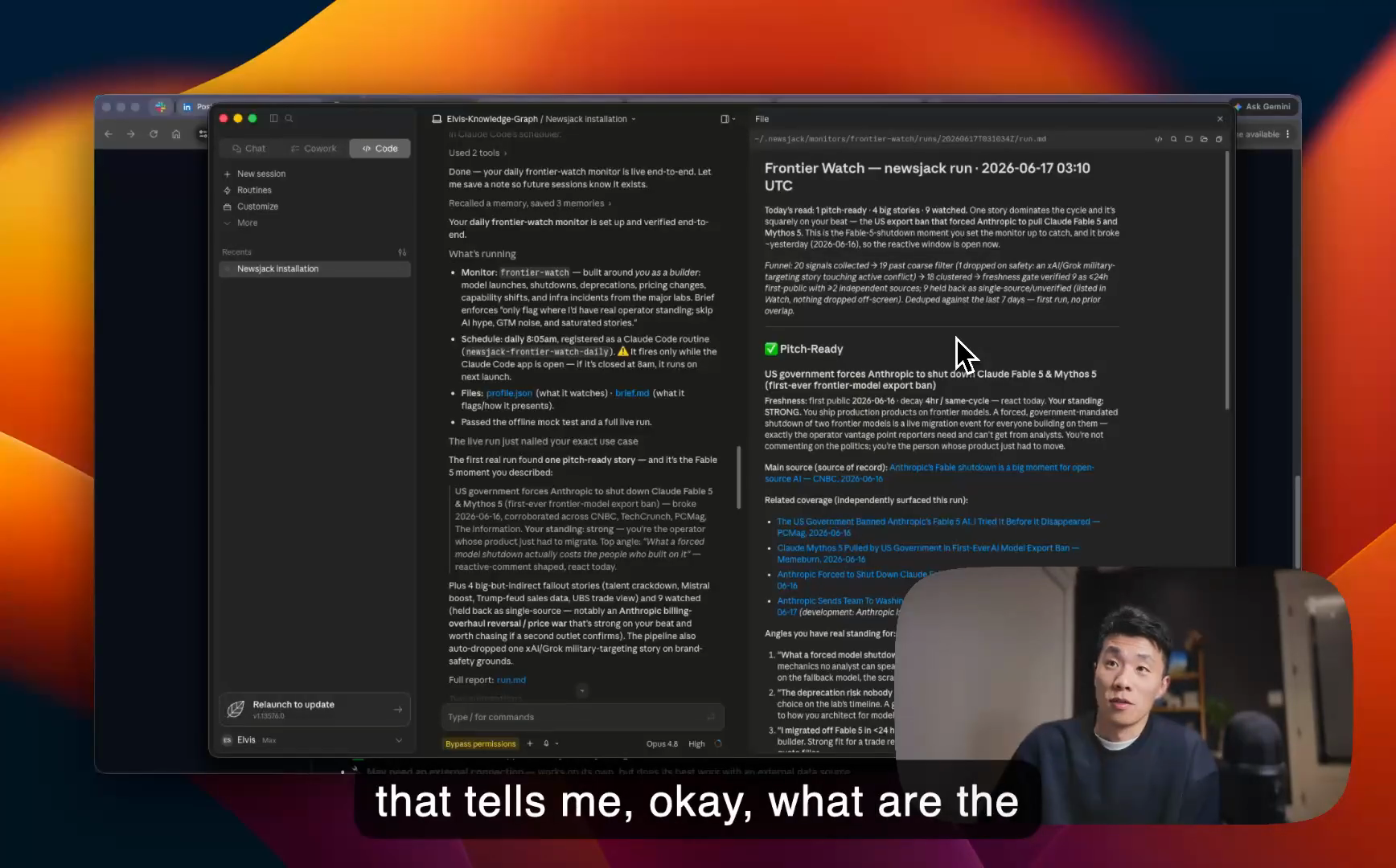
Ask "show me the report" and you get three tiers:
- Pitch-ready stories matched to the persona you gave it — in my case, an AI engineer who compares models — with angles already suggested, generated by the same story-angle skill from earlier.
- Big stories worth looking into, where a good PR person can probably find a way in.
- Related stories to watch that might develop into something bigger.
The monitor is now configured to run every morning at 8 a.m., so a report like this is waiting daily. It scales per client: run one for each and you can imagine getting ten reports a morning. Need to share one? Ask it to format the brief into a nice PDF and it will.
Meanwhile, back in the original chat, the journalist list had kept growing — more names, each with an email address. From there the loop is: draft the pitch, edit it, get feedback, send. And every skill works identically in both places — type a slash in Claude Code and call the angle generator, headline generator, or find-journalists exactly as you did in chat.
Who is Claude Code mode for?
Video chapter: 25:15
Don't be intimidated by the name. I know for a fact that SEO agencies are using Claude Code to run their content teams — this is way beyond people who know how to code, and in 2026 you don't really need to know how to code to write software.
Once you're set up, explore the smaller building-block skills too. The newsworthiness check sounds boring, but it's foundational: a common failure mode is that AI thinks everything is news, and pitching a story that isn't newsworthy ends very badly. Skills like that combine into bigger workflows, and I'll keep publishing more as recommendations come in.
FAQ
Do I need to know how to code to use Newsjack? No. Every skill runs in the regular Claude chat, and even Claude Code mode takes one-sentence instructions — SEO agencies and content teams use it without engineers. Install is a copy-paste prompt or a few clicks in Claude's Customize tab.
Is Newsjack free? The 18 skills are open source and public at newsjack.sh. To run the 24/7 monitor you need an agent runtime: Claude Code is included in the $20 Claude plan most people already pay for, Hermes Agent is a free, open-source alternative, and OpenCloud is another open-source option that runs on your machine.
Why does AI hallucinate journalist contacts, and how does Newsjack fix it? Models have no verified contact data and can't check a journalist's past articles or beat, so they invent emails or return outdated names. Newsjack bundles a connector to Medialyst, which gives the agent verified email addresses, journalist enrichment, and news search.
Can I use Newsjack without Claude Code? Yes. Strategy, angles, headlines, and journalist lists all work in the regular Claude chat. You only need Claude Code (or another agent runtime) for long-running work — the 24/7 news monitor that produces the morning brief.
What model settings should I use for the news monitor? Opus, with thinking effort set to high or above. For knowledge-intensive work like PR, the output quality difference between Opus and a lesser model is significant.